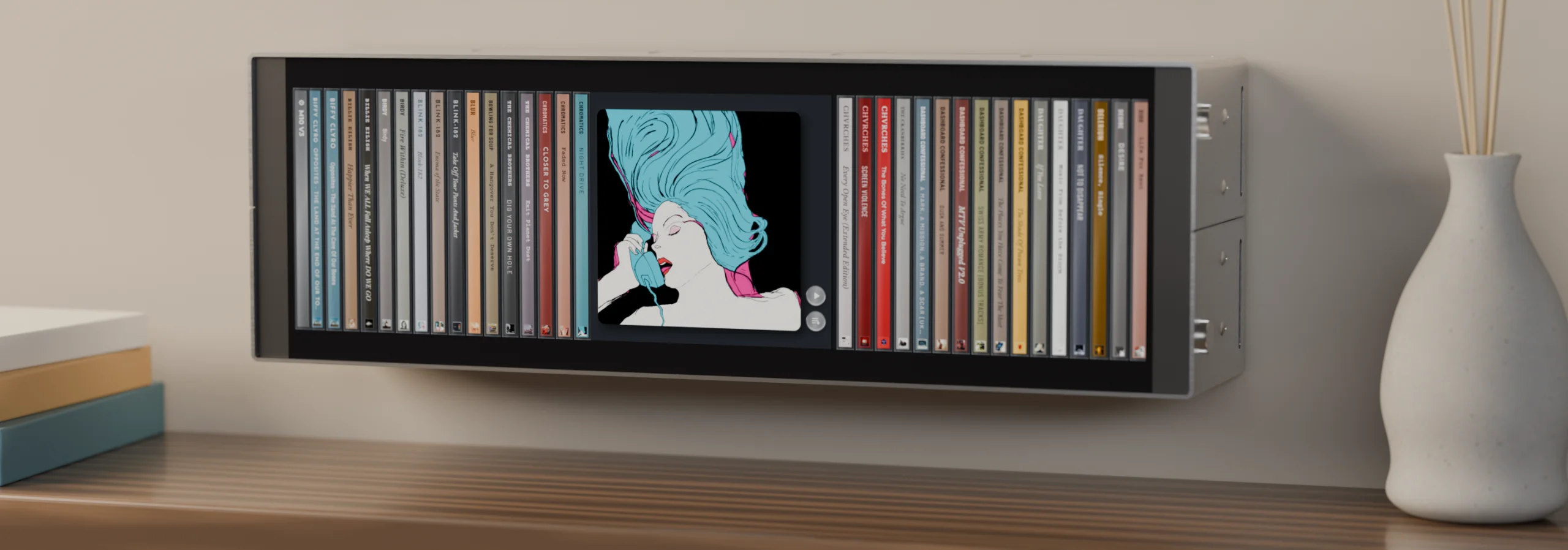
Remember when you could see your music?
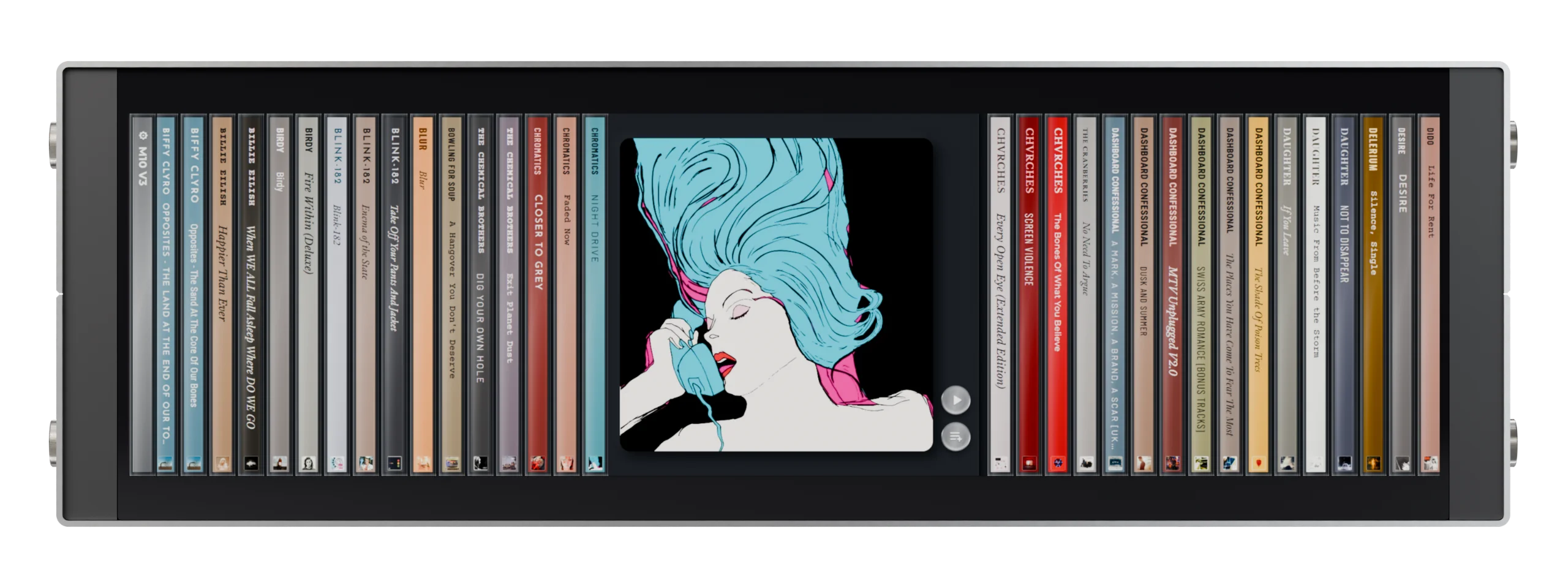
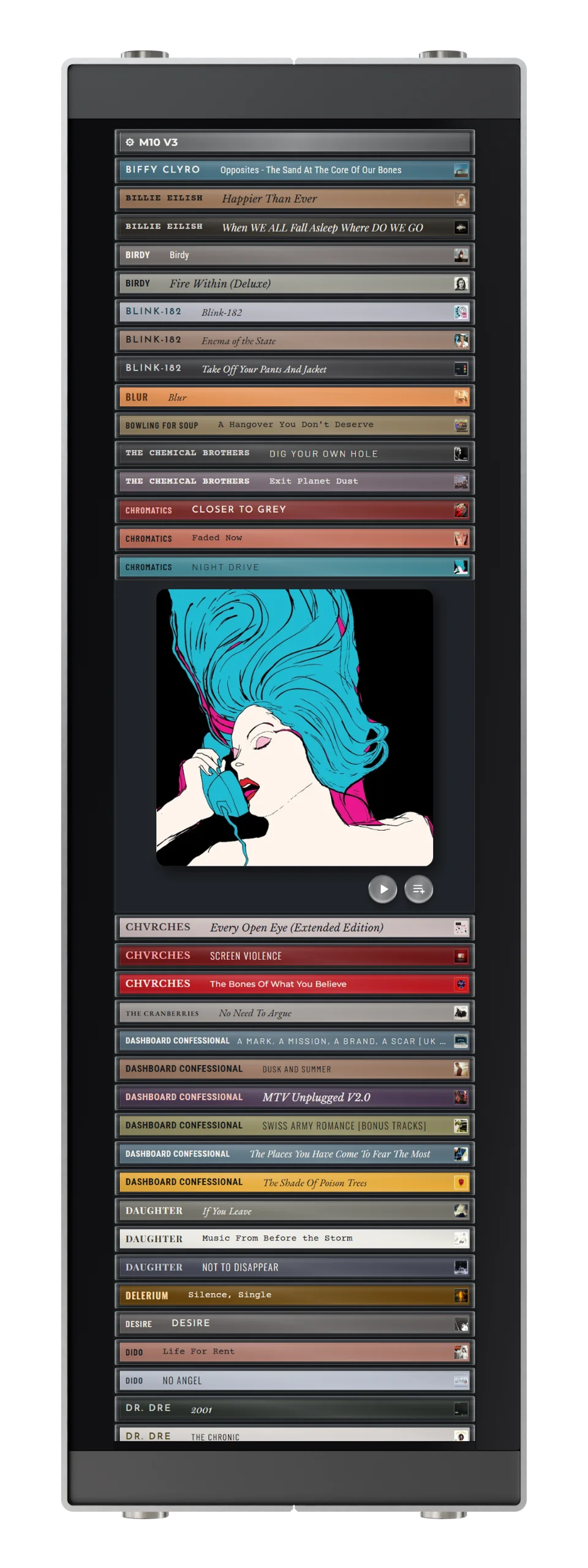
The albums you bought, ripped and kept for years deserve better than a list on your phone. ledgeAUDIO gives them a home again: a high-resolution display for your shelf or wall, wide or tall.
Tap an album. It plays on your hi-fi.
- No phone
- No app
- No subscription
Works with
Your music through the hi-fi you already own.
Nothing to copy, nothing to re-buy. ledgeAUDIO reads your existing library and tells your player what to play.

BluOS
Supported
Lyrion
Supported

Plex
Supported

Sonos
Supported

MusicCast
Supported

Volumio
In development
Through Lyrion

WiiM
via Lyrion

TIDAL
via Lyrion

Qobuz
via Lyrion
WiiM players join in through Lyrion, using the Squeezelite player built into most WiiM devices, so they show the same shelves as Lyrion below.
Using something else? Tell us at hello@ledgeaudio.com. It shapes what we build next.
On the shelf
Choose what's on your shelf.
By artist
Your whole library, A to Z.
My Ledge
A shelf you curate: the albums you'd keep within arm's reach.
Recent 50
The fifty albums you added most recently.
Random 50
Fifty albums you'd forgotten you own. Tap again for another fifty.
What each platform supports
What is My Ledge?
My Ledge is the shelf you choose album by album. You fill it from the music app you already use, and ledgeAUDIO picks it up by itself. Nothing to set up on the display.
BluOS
In the BluOS app, add albums from your music library to your BluOS Favourites. Every album you own in your favourites then appears on My Ledge.
Lyrion
With Lyrion, ledgeAUDIO can show the albums you own and albums from your streaming services. Only your own music shows by default, and a setting turns streaming albums on or off.
To fill My Ledge create a folder called ledgeAUDIO in Lyrion's Favourites, then add albums to it, your own and from TIDAL or Qobuz, for one curated shelf.
Plex
In your Plex music library, create a collection called ledgeAUDIO and add albums to it. Every album you add then appears on My Ledge.
Sonos
In the Sonos app, add albums from your music library to your Sonos Favourites. Every album you own in your favourites then appears on My Ledge.
How it works
Set up in minutes. Then just reach for an album.
-
01
Place it
Stand it on a shelf or hang it on the wall, wide or tall. Tell it which way round when you first switch on, and the screen turns to match.
-
02
Connect
On the touch screen, join your Wi-Fi and pick the music platform you already use.
ledgeAUDIO finds your player for you and loads your music on the display. -
03
Play
Tap an album to open it, then play now or add to the queue. It starts on your selected hi-fi, with nothing to confirm.
Games?!
Press play. Then press play again.
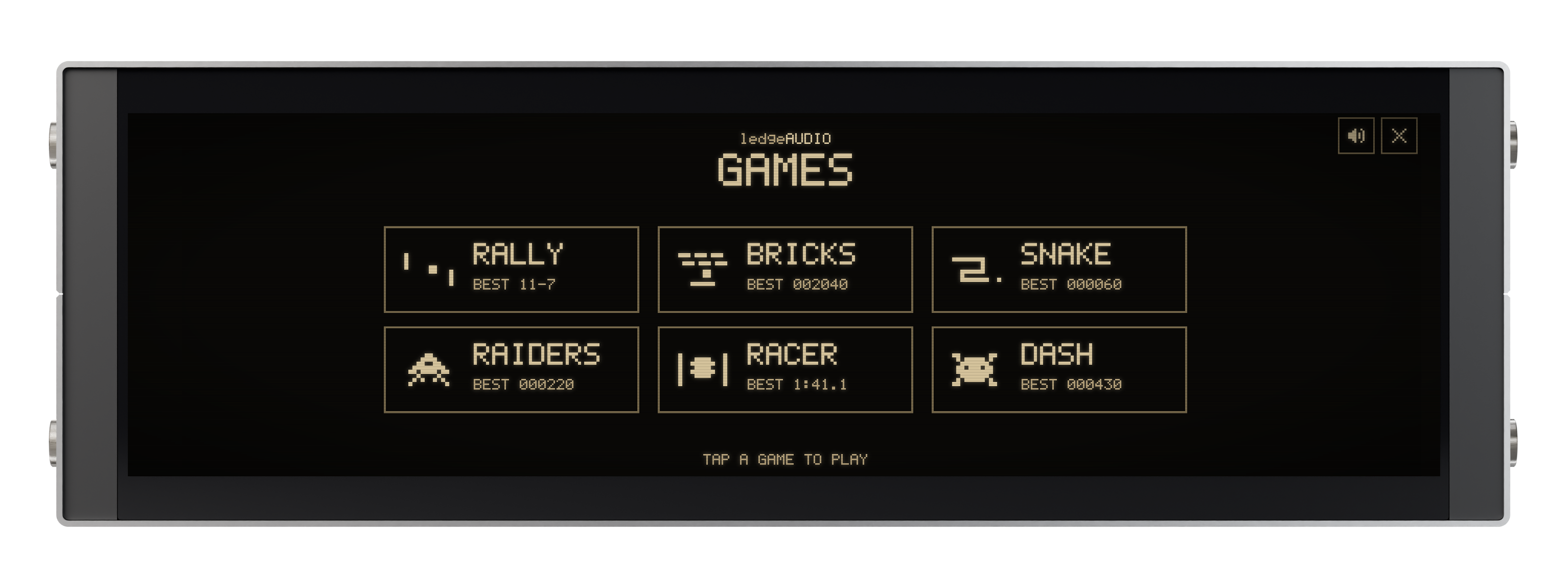
Six retro arcade games are built in, drawn in glowing gold pixels, with proper arcade bleeps from the display's own built-in speakers. Play with one finger while the album plays on: your music stays on your hi-fi, and one tap mutes the bleeps.
-
RALLY
Bat and ball against the computer. First to eleven wins.
-
BRICKS
Knock down the wall, one brick at a time.
-
SNAKE
Swipe to steer. Eat, grow, and don't bite your own tail.
-
RAIDERS
Hold off wave after wave of pixel raiders from above.
-
RACER
Three laps against the clock, traffic to pass, and a pit stop for tyres and fuel.
-
DASH
Hop across busy roads and a river of drifting logs to get every one safely home.
Retro sound from its own speakers. High scores that survive a power cut. One tap to mute when the house is asleep.
Questions
Does ledgeAUDIO work with WiiM?
Yes, through Lyrion Music Server. Most WiiM streamers and amps have a built-in Squeezelite player, which lets them appear as a player in Lyrion. Switch it on in the WiiM Home app under Device Settings › Squeezelite, and ledgeAUDIO can then play and queue your albums on your WiiM. This works on every WiiM device except the WiiM Mini, Sub Pro and Vibelink Amp. See WiiM’s guide: WiiM with Squeezelite.
WiiM is currently developing Plexamp support for its devices. Once that’s released, ledgeAUDIO’s Plex support will give you another way to use your WiiM.
Does ledgeAUDIO play the music itself?
No. It's a display and controller. Your hi-fi player plays the music; ledgeAUDIO tells it what to play.
Is there a subscription?
No. There's no subscription, no app and no account to create.
Does it work with streaming services?
It’s built first for the collection you own. With Lyrion, albums from TIDAL and Qobuz can sit alongside it, and you choose whether they’re shown. See On the shelf above.
How does it mount on the wall?
It hangs on two fixings, like a picture, and everything you need is in the box. On a shelf it simply stands on its own, with no drilling at all.
Four brackets are built in: two for wide and two for tall. Each way uses its own pair of holes, so pick the way you want it before you drill.
How do the games work?
Tap the Settings CD at the start of your shelf, then Play games. The shelf steps aside, the games menu appears, and whatever album is playing carries on through your hi-fi.
- RALLY · slide your finger to move your bat. It's you against the computer, first to eleven.
- BRICKS · slide to move the bat and keep the ball in play until the wall is gone.
- SNAKE · swipe to turn. Every bite makes you longer, and the walls and your own tail are out of bounds.
- RAIDERS · slide to move your ship. It fires on its own, so you can concentrate on dodging.
- RACER · finger on to drive, off to slow down, and slide to steer. Three laps against the clock: pit when the tyres wear or the fuel runs low.
- DASH · tap to hop forward, swipe to hop sideways. Dodge the traffic, ride the logs across the river and fill all five homes.
Everything is played with one finger. There's a pause button, and a sound button that mutes the built-in speakers and remembers your choice. Best scores are kept, even when the power's off. The games turn with the display, wide or tall, and if nobody touches the screen for two minutes, it quietly goes back to your albums.
Where will you ship?
The first batch ships to Great Britain. If you're elsewhere, sign up anyway and tell us where.
Made for the music you care about.
- Display
- 2608 × 720, sharp enough that covers look like covers
- Size
- [ 484 × 155 × 105 mm ] · readable across the room, compact enough to find a home
- Build
- Brushed aluminium, assembled and tested by hand
- Works with
- BluOS · Lyrion · Plex · Sonos · Yamaha MusicCast · WiiM (via Lyrion)
- Connection
- Home Wi-Fi [ 2.4 GHz | 5 GHz | 6GHz ]
- Placement
- Freestanding on a shelf, or wall-hung wide or tall. Wall fixings included.
- Power
- One standard mains lead, like your hi-fi. No power brick, no adapters.
- Sound
- Built-in speakers for the games, with one-tap mute. Your music always plays on your hi-fi.
Give your music its place back.
Follow ledgeAUDIO as it takes shape: news from the workbench, what's next on the roadmap, and how to get one.